Tutorial 8 of 8
Play online with friends
Beginner 6 min
Open an online room, send the invite link or room code, play a round together on your own devices, watch as a spectator and cheer with quick chat and reactions.
Puttopia can play one round with friends on their own phones, tablets and computers. Up to six players share a room, and up to twenty more people can watch. Everybody sees every putt roll, live.
Open a room
Press Play online at the top right (or Game → Play online…). Enter Your name in the room — a first name or nickname is enough, everyone in the room sees it. Then choose under Create a room:
- Course: Candy Land, Pirate Cove, Space Station or My own holes (the holes you built in the hole editor travel to the room).
- Mode: Taking turns (classic) — one player plays the hole until the ball drops, then the next — or Everyone at once (other balls are ghosts): all players putt at the same time, the other balls are see-through and never bump into yours.
- Stroke limit per hole and the Shot clock: with a shot clock, the caddie putts for anyone who takes longer than the time you chose.
- A computer player stands in for anyone who loses the connection and Allow spectators.
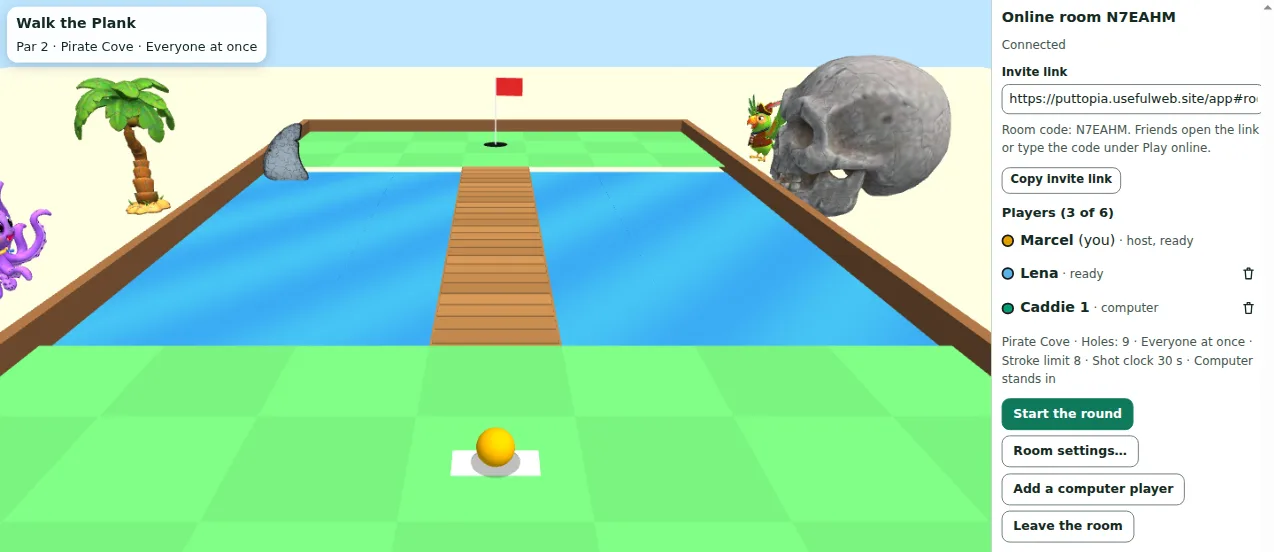
Press Create the room. The room panel on the right shows the room code and the invite link.
Invite your friends
Press Copy invite link and send the link. Friends who open it only have to enter their name and press Join. Without the link they press Play online, type the six-character room code under Join a room and press Join. Tick Only watch (spectator) to watch instead of playing; once a round has started, newcomers can only watch.
Each player presses I am ready. As the host you can also Add a computer player, remove a place with the bin button, or change the course in Room settings…. Start the round works as soon as everyone is ready.
Play the round
Aiming works as always: drag back from the ball, or use Left and Right to aim, hold Space for power and press Enter to putt. The aim row is only active when it is Your turn. The board at the top right shows everyone's score to par, who is away and who already putted.
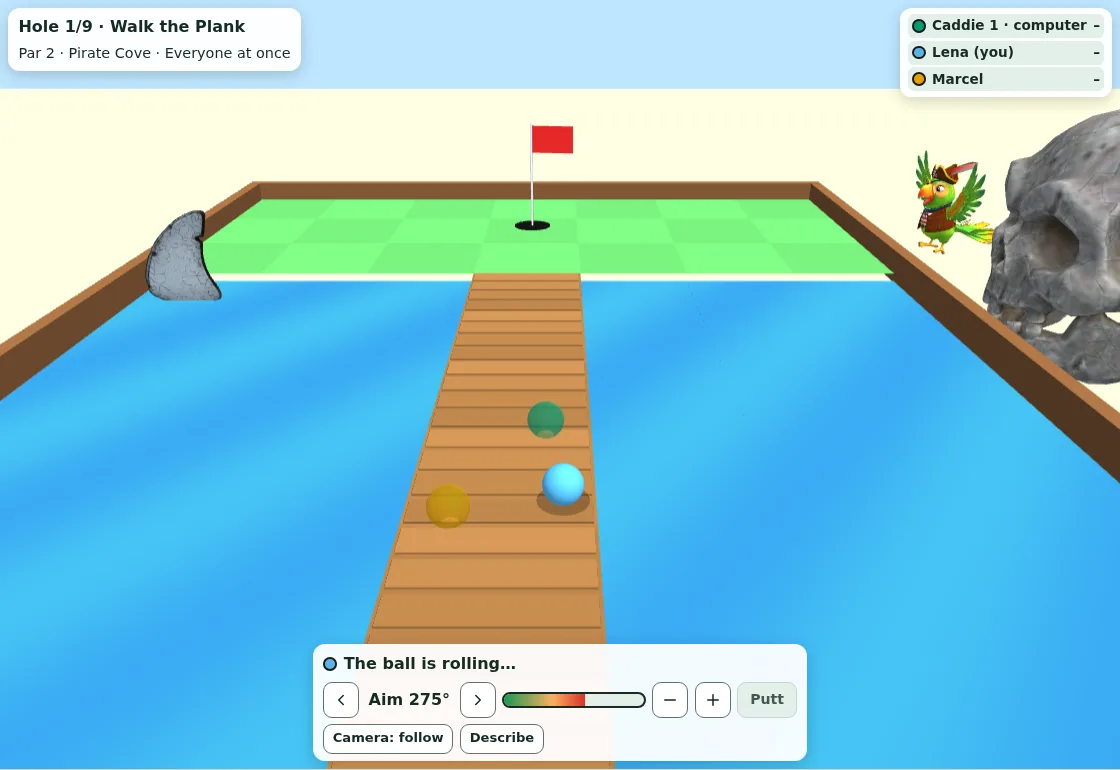
Every putt rolls exactly the same on every screen: your device only sends where you aimed, how hard you hit and when you swung, and every device — and the server — rolls the ball with the same physics. The server checks each putt this way, so nobody can claim a hole in one they did not make. In online rounds the caddie gives no hints and there are no replays.
After each hole a short summary shows everyone's score; the next hole starts by itself after a few seconds. At the end the host can start a Rematch with the same players or go Back to the lobby to pick another course.
Chat, reactions and the audience
Under Quick chat players send short messages such as Nice shot! or So close!, and everyone — spectators too — can send a reaction like applause. They appear in the room messages and over the course. The audience on the course keeps cracking its jokes about every splash, lip-out and birdie, the same joke on every screen.
Lost connection
If your connection drops, Puttopia reconnects by itself, and reloading the page brings you straight back to your place. Your seat is kept for two minutes; meanwhile the caddie putts for you when it is your turn (if the host allowed it). After two minutes the seat goes to a computer player, or — without stand-ins — your remaining holes count as the stroke limit.
Keyboard and screen readers
Everything in the room panel is a normal button or field. Screen readers hear who putts, how far each ball stopped from the cup, who holed out, every new player, chat message and reaction, and when it is your turn; with a shot clock you also hear when ten seconds are left. Describe (D) tells you the hole and who is on turn.
What the server sees
The server only passes on the names you chose and the putts (aim, power, timing). Rooms live in its working memory only: nothing is written to a database or a log, chat messages and reactions are forwarded and forgotten, and a room ends two hours after the last action — or when the server restarts. Your games, scores and achievements on this device are not touched by an online round.
Ready to try it?