Tutorial 4 of 8
Players, scores and achievements
Beginner 6 min
Play with up to six people on one device or against the computer, spin for the order of play, read the score card and collect trophies and achievements.
Puttopia is made for passing one phone, tablet or laptop around. Up to six players take turns on the same device.
Set up the players
Game → Players and course… (or the button of the same name before a round) lists the course and the players. Every player has a name, a ball colour and a ball skin — a plain ball, a pumpkin, an eyeball or a tiny planet.
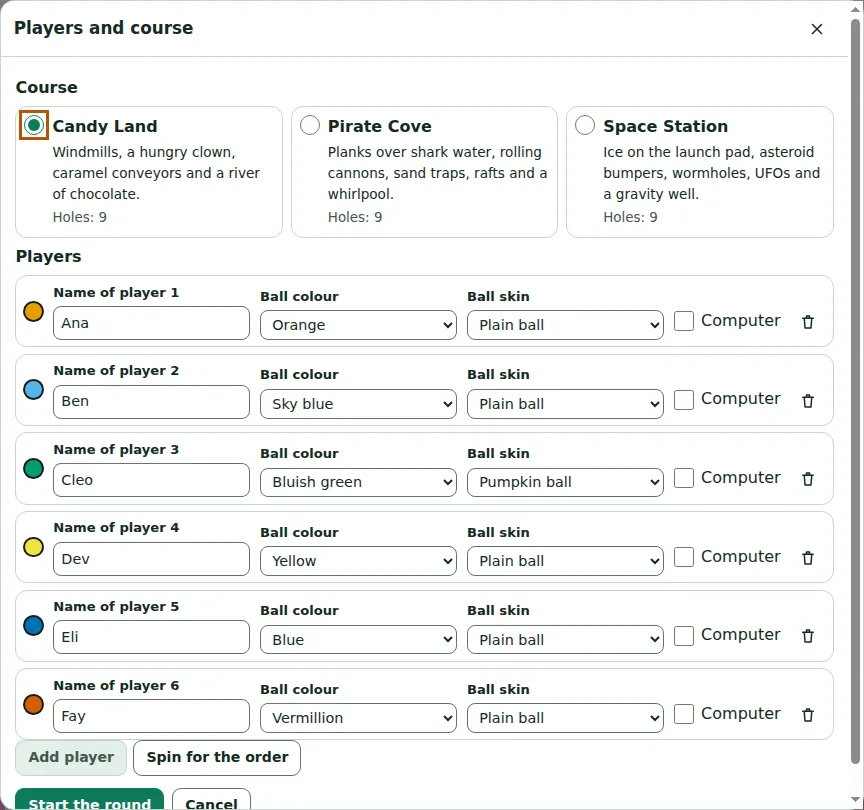
The eight ball colours are chosen so that people with colour blindness can tell them apart, and every colour has a name (orange, sky blue, bluish green, yellow, blue, vermillion, reddish purple, white) that screen readers say aloud.
Tick Computer for a computer player and choose its level: Easy misses by a few degrees, Hard almost never does. Spin for the order uses Fieldday's fair wheel spinner to decide who tees off first.
Taking turns
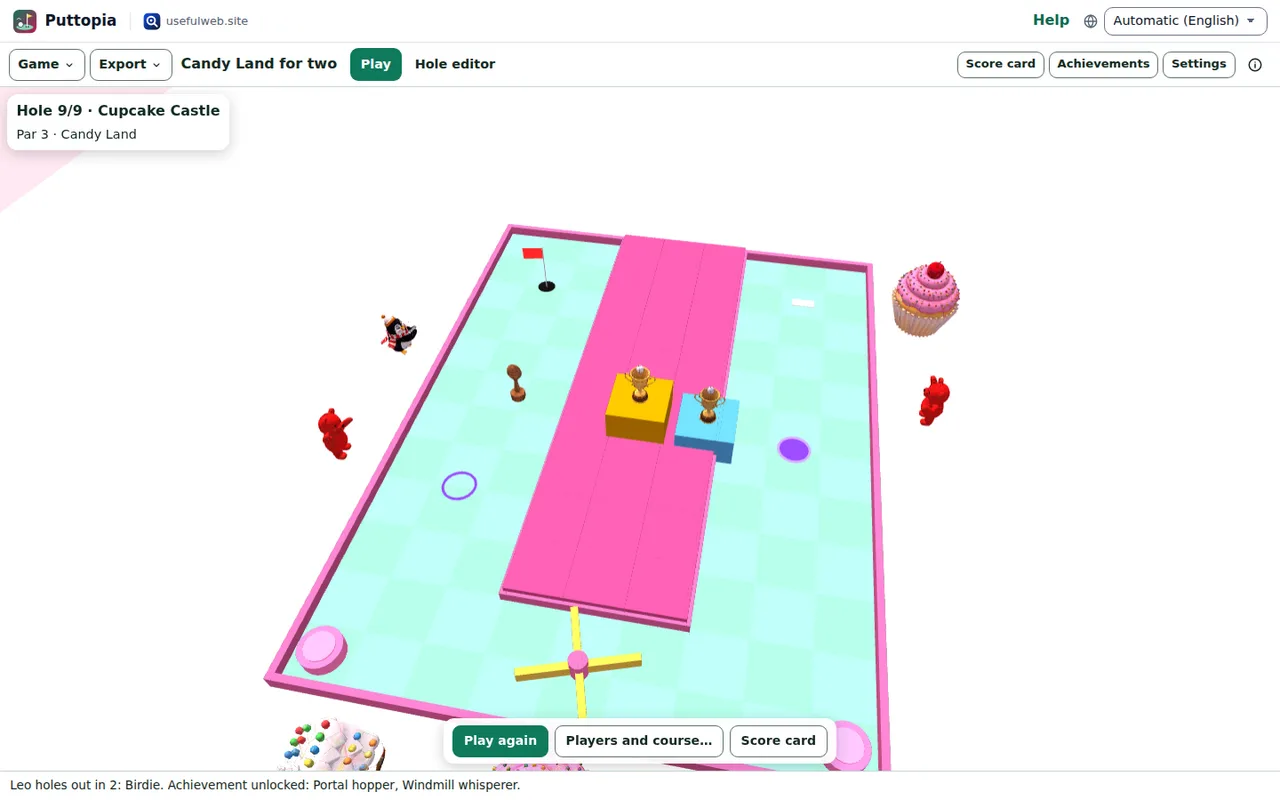
Players take turns on each hole until everybody has holed out. On the next hole the player with the best score on the last hole tees off first. The list at the top right always shows who is on, and how everybody stands against par (E = even, −2 = two under par).
Results and trophies
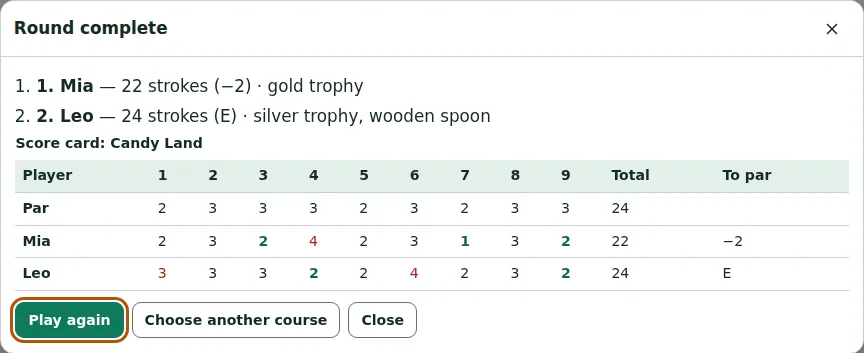
After the last hole Puttopia shows the podium with gold, silver and bronze trophies — and a wooden spoon for whoever came last.
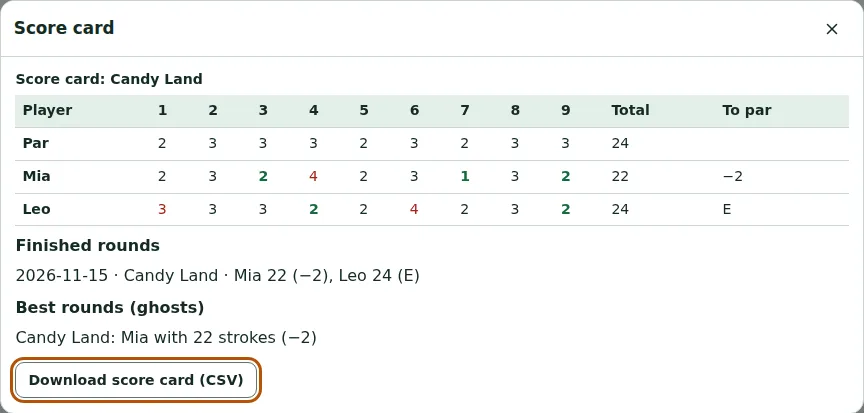
Score card and best rounds
Score card (or S) shows the current or last round hole by hole. Green numbers are under par, red ones over. Below it you find your finished rounds and the best round on each course — that round becomes the ghost on your next try. Download score card (CSV) saves it for a spreadsheet.
Achievements
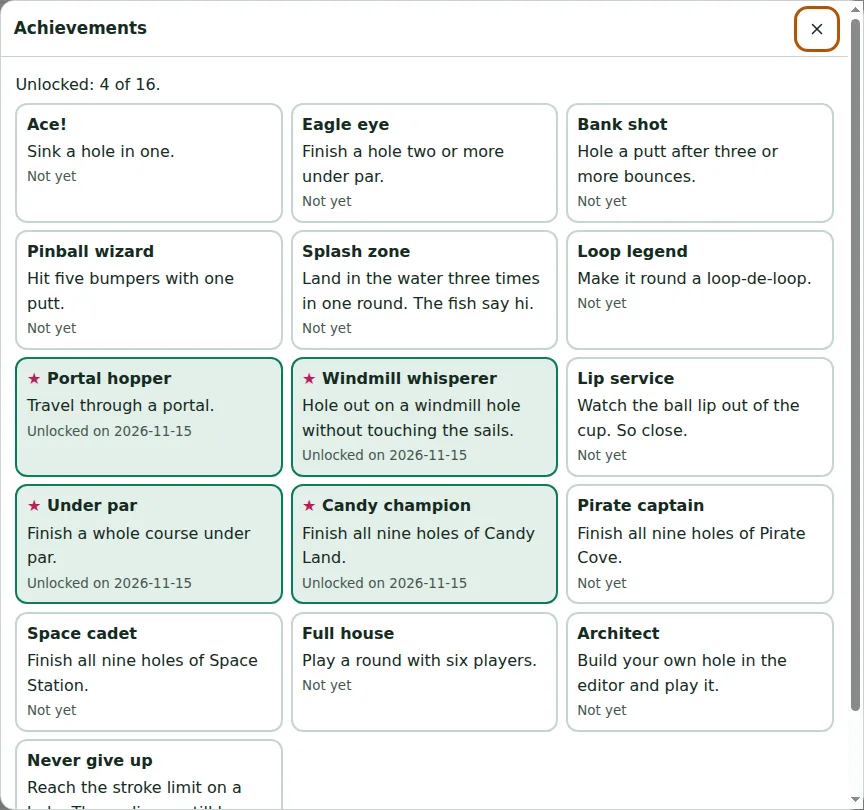
Achievements lists sixteen badges, from Ace! (a hole in one) and Bank shot (hole a putt after three bounces) to Splash zone and Never give up. Computer players don't earn any — they would be far too good at it.
Ready to try it?